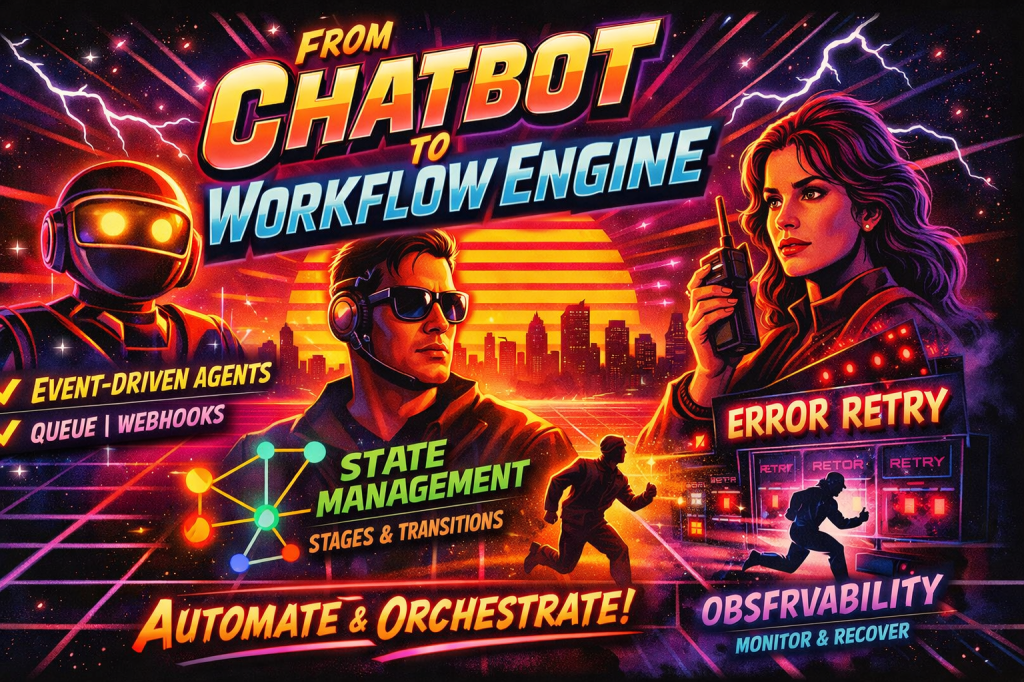
Most teams begin with the same agent demo. A user asks a question, the model calls a tool, and something useful happens. That is a fine starting point, but it is not how enterprise work actually runs. Real workflows unfold across time. A case is opened. A document arrives later. A system posts a status change. A human approves or rejects. A downstream API fails and needs another attempt. If your design still assumes one prompt in and one answer out, you do not have a workflow engine. You have a chatbot with good manners.
That is why Microsoft Agent Framework is worth paying attention to. The framework supports both .NET and Python, introduces graph-based workflows with explicit control over execution paths, and includes state management, event streaming, and checkpointing for long-running and human-in-the-loop scenarios. Microsoft also positions it as the successor to ideas from Semantic Kernel and AutoGen, which is a strong signal that the center of gravity is moving from conversational wrappers toward durable orchestration. (Microsoft Learn)
The most important design move is simple: stop thinking of the agent as the application. In Microsoft’s own framing, you use an agent when the task is open-ended or conversational, and you use a workflow when the process has well-defined steps and needs explicit control over execution order. That distinction is everything. The model can still provide judgment, classification, drafting, summarization, or recommendation. But the workflow should own routing, stage transitions, retries, approvals, and recovery. (Microsoft Learn)
The architectural shift
In an event-driven design, prompts are no longer the only entry point. Events become the inputs. A queue message, webhook, timer, system callback, or human response can all advance the workflow. Microsoft’s durable Azure Functions integration makes that model practical because it combines Agent Framework with Azure Functions triggers and durable state so workflows can survive failures, restarts, and long-running operations while still behaving like normal event-driven systems. (Microsoft Learn)
Inside the workflow, you should model stages explicitly. Agent Framework workflows are built from executors and edges. Executors are the processing units. They can be custom logic or AI agents. Edges connect those units and can include conditions so routing changes based on message content. State is available when multiple executors need shared context that should not be pushed around in every message. This is the backbone you need for stages such as received, classified, awaiting_approval, ready_to_apply, completed, or failed. (Microsoft Learn)
This is also where many teams miss the point. They let the model decide too much. In a production workflow, the agent should usually decide what something means, not whether your architecture remains coherent. Let the agent classify a case, summarize a document, or draft a response. Let the workflow decide which executor runs next. That separation is what turns an agent system into an operational system.
A concrete pattern
A useful enterprise pattern looks like this:
An inbound event lands from a queue or webhook. An ingress executor normalizes it into a typed business event. A classifier executor decides whether the event can proceed automatically or needs approval. Conditional edges then route the message either to the automated path or to a request port that pauses the workflow until an external response arrives. Once the response comes back, the workflow resumes and continues toward completion. That is not theory. That is exactly the kind of request and response handling, conditional routing, and resumable execution the framework is designed to support. (Microsoft Learn)
The following C# sketch is an illustrative version of that pattern using the framework’s executor model, conditional edges, request ports, shared state, and streaming events. (Microsoft Learn)
using Microsoft.Agents.AI.Workflows;public sealed record BusinessEvent(string RequestId, string EventType, string Payload);public sealed record RouteResult(string RequestId, bool NeedsApproval, string Stage);public sealed record ApprovalRequest(string RequestId, string Summary);public sealed record ApprovalDecision(string RequestId, bool Approved);internal sealed partial class IngressExecutor() : Executor("Ingress"){ [MessageHandler] private async ValueTask<BusinessEvent> HandleAsync(string rawEvent, IWorkflowContext context) { var evt = Normalize(rawEvent); // map webhook or queue payload into a typed event await context.QueueStateUpdateAsync(evt.RequestId, "received", scopeName: "stage"); return evt; }}internal sealed partial class ClassifyExecutor() : Executor("Classify"){ [MessageHandler] private async ValueTask<RouteResult> HandleAsync(BusinessEvent evt, IWorkflowContext context) { // This is where an AI agent or deterministic rules can classify the event. var needsApproval = evt.EventType is "payment.release" or "account.change"; var nextStage = needsApproval ? "awaiting_approval" : "ready_to_apply"; await context.QueueStateUpdateAsync(evt.RequestId, nextStage, scopeName: "stage"); return new RouteResult(evt.RequestId, needsApproval, nextStage); }}internal sealed partial class PrepareApprovalExecutor() : Executor("PrepareApproval"){ [MessageHandler] private ValueTask<ApprovalRequest> HandleAsync(RouteResult route, IWorkflowContext context) { var request = new ApprovalRequest( route.RequestId, $"Request {route.RequestId} requires approval before execution."); return ValueTask.FromResult(request); }}internal sealed partial class ApprovalResultExecutor() : Executor("ApprovalResult"){ [MessageHandler] private async ValueTask<RouteResult> HandleAsync(ApprovalDecision decision, IWorkflowContext context) { var stage = decision.Approved ? "ready_to_apply" : "rejected"; await context.QueueStateUpdateAsync(decision.RequestId, stage, scopeName: "stage"); return new RouteResult(decision.RequestId, needsApproval: false, Stage: stage); }}internal sealed partial class ApplyExecutor() : Executor("Apply"){ [MessageHandler] private async ValueTask<string> HandleAsync(RouteResult route, IWorkflowContext context) { if (route.Stage != "ready_to_apply") { return $"No-op for {route.RequestId}. Current stage is {route.Stage}."; } // Call downstream API or tool here await context.QueueStateUpdateAsync(route.RequestId, "completed", scopeName: "stage"); return $"Completed workflow for {route.RequestId}"; }}// External approval channelvar approvalPort = RequestPort.Create<ApprovalRequest, ApprovalDecision>("HumanApproval");var ingress = new IngressExecutor();var classify = new ClassifyExecutor();var prepareApproval = new PrepareApprovalExecutor();var approvalResult = new ApprovalResultExecutor();var apply = new ApplyExecutor();var workflow = new WorkflowBuilder(ingress) .AddEdge(ingress, classify) .AddEdge<RouteResult>(classify, apply, r => !r.NeedsApproval && r.Stage == "ready_to_apply") .AddEdge<RouteResult>(classify, prepareApproval, r => r.NeedsApproval) .AddEdge(prepareApproval, approvalPort) .AddEdge(approvalPort, approvalResult) .AddEdge<RouteResult>(approvalResult, apply, r => r.Stage == "ready_to_apply") .WithOutputFrom(apply) .Build();// Run with streaming so you can observe execution as it happensStreamingRun run = await InProcessExecution.RunStreamingAsync(workflow, rawEvent, checkpointManager);await foreach (WorkflowEvent evt in run.WatchStreamAsync()){ switch (evt) { case RequestInfoEvent request: // publish to Teams, email, ServiceNow, or another approval surface break; case ExecutorCompletedEvent completed: logger.LogInformation("{ExecutorId} completed: {Data}", completed.ExecutorId, completed.Data); break; case WorkflowOutputEvent output: logger.LogInformation("Workflow output: {Data}", output.Data); break; case WorkflowErrorEvent error: logger.LogError(error.Exception, "Workflow failed"); break; }}
What matters in this design is not the sample code. It is the control model. The workflow owns the graph. Executors own bounded units of work. The agent, if you use one inside a classifier or reviewer executor, supplies judgment. The request port turns external approval into a first-class asynchronous boundary instead of a hacky pause in the middle of a prompt. And state updates make the current stage explicit and queryable. (Microsoft Learn)
The mastery layer: where real systems either succeed or fail
The first mastery move is to treat observability as part of the design, not a later add-on. Agent Framework emits workflow lifecycle events, executor events, request events, and streaming agent updates. It also supports OpenTelemetry so you can trace workflow runs, executor processing, message sends, and routing behavior. The observability model even exposes delivery status for edge processing, including cases where a message was dropped because a condition evaluated false, a type mismatched, or an exception occurred. That is exactly the kind of trace surface you need when an enterprise workflow is stuck in a state nobody can explain. (Microsoft Learn)
The second mastery move is to design for partial completion. Checkpoints in Agent Framework are created at the end of each superstep and capture executor state, pending messages, requests and responses, and shared state. You can restore a run from a saved checkpoint or rehydrate a new run from one later. In other words, you do not need to replay the whole workflow from the top every time something interrupts the process. That is a foundational shift from demo architecture to production architecture. (Microsoft Learn)
The third mastery move is to be disciplined about state isolation. The docs are explicit that reusing a single workflow instance across multiple tasks or requests can lead to unintended state sharing, and that fresh workflow instances are the safer default for thread safety and isolation. That matters more than people think. Some of the ugliest agent bugs are not model bugs at all. They are stale state bugs that make the model look unreliable when the runtime is actually leaking context across runs. (Microsoft Learn)
The fourth mastery move is to treat checkpoint storage and durable state as part of your security model. Microsoft’s checkpoint guidance is blunt: checkpoint storage is a trust boundary, and loading checkpoints from untrusted or tampered sources can execute arbitrary code. That means your durability layer is not just an operational convenience. It is production infrastructure that needs proper access controls, encryption, and governance. (Microsoft Learn)
Practical guidance for real implementations
A strong event-driven agent workflow usually follows five rules.
First, normalize every inbound event into a typed contract before an agent ever sees it. The framework’s workflow validation and type-aware execution model are strengths, so use them. Do not spray raw JSON through your graph unless you enjoy debugging shape mismatches at 2 a.m. (Microsoft Learn)
Second, keep stage transitions explicit and durable. A stage like awaiting_approval should exist in state, not only in the model’s memory. That lets other systems inspect the workflow, drive dashboards, and resume safely after failure. (Microsoft Learn)
Third, separate judgment from side effects. Let an agent recommend, classify, or draft. Let a bounded executor commit the actual write, send, or update. That keeps retries sane and prevents the worst category of failure, which is repeating a side effect because the reasoning step and the execution step were fused together.
Fourth, use request ports for anything asynchronous that crosses a team or system boundary. Human approval is the obvious example, but so are vendor callbacks, long-running enrichment jobs, and compliance reviews. The workflow should pause cleanly and resume from a structured response, not from an improvised prompt reconstruction. (Microsoft Learn)
Fifth, stream events from day one. WatchStreamAsync() is not just for pretty console output. It is your live execution surface for status updates, dashboards, notifications, and operator intervention. If you build that event surface early, the workflow becomes understandable. If you ignore it, the workflow becomes folklore. (Microsoft Learn)
Takeaway
The most valuable mindset shift is this: Microsoft Agent Framework should not be treated as a chatbot layer with a fancier name. Its real value shows up when you use it as an orchestration layer for long-running, stateful, event-driven work. The agent supplies intelligence where ambiguity exists. The workflow supplies structure where operations demand control.
That is what moves you from a clever demo to a system an enterprise can trust. And that is also what demonstrates actual mastery. Not that you can make an agent answer, but that you know how to make it wait, route, recover, escalate, resume, and finish.





 bencoding