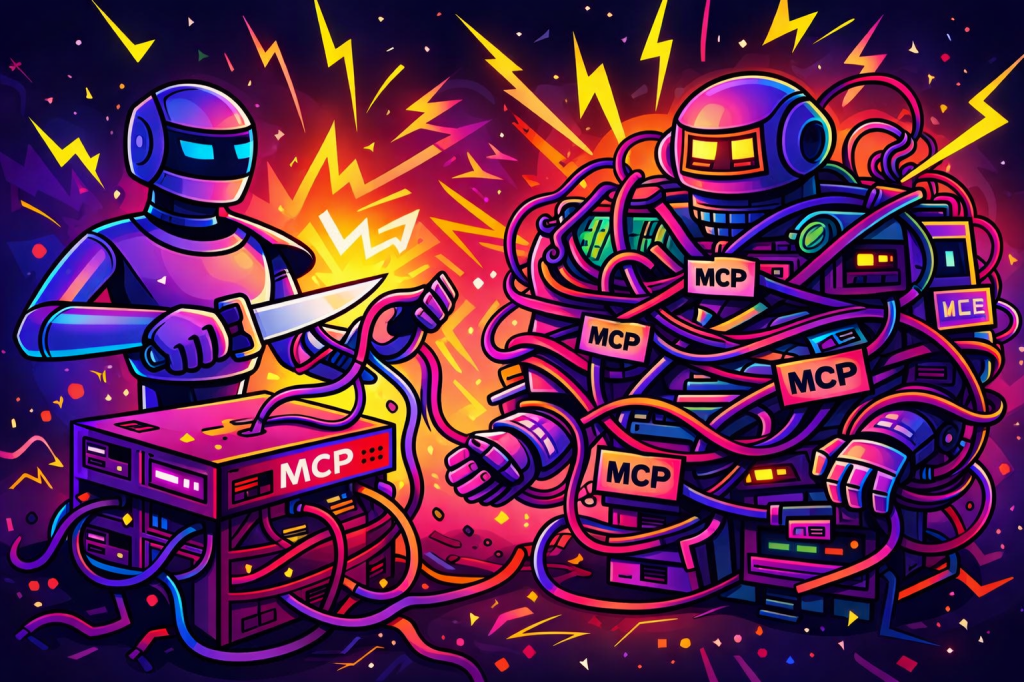
Too many agent architectures are getting more complicated than they need to be.
A team finds a useful capability like document conversion, wraps it in MCP, adds another protocol boundary, introduces another deployment surface, and then wonders why the agent stack feels heavier than the business problem it was supposed to solve.
MarkItDown is a perfect example.
If you are using Microsoft Agent Framework and want your agent to reason over PDFs, Word documents, PowerPoints, spreadsheets, and other files, the cleanest move is usually not to make MarkItDown a separate MCP tool. The cleaner move is to make it a native function tool inside your agent runtime.
That is the difference between an agent that feels integrated and one that feels stitched together.
The real design decision
This is the part that matters.
“Native” does not mean rewriting MarkItDown in C#.
It means the agent sees a first-class tool like ConvertBlobDocumentToMarkdown registered directly in the .NET runtime. The fact that the tool calls Python under the hood is an implementation detail. The agent does not care. And in a well-designed system, it should not have to.
That is the architectural mistake I see too often in agent systems. Teams expose internal application behavior as if it were an external protocol concern. They design from the boundary inward instead of from the runtime outward.
If document conversion is a core part of your application’s reasoning flow, it should behave like a core runtime capability.
The architecture that actually holds up
For a production-friendly design, keep the split simple:
- C# for the Microsoft Agent Framework runtime
- Python for MarkItDown
- Azure Blob Storage for the source documents
That gives you a clean separation of concerns without pushing the agent through unnecessary indirection.
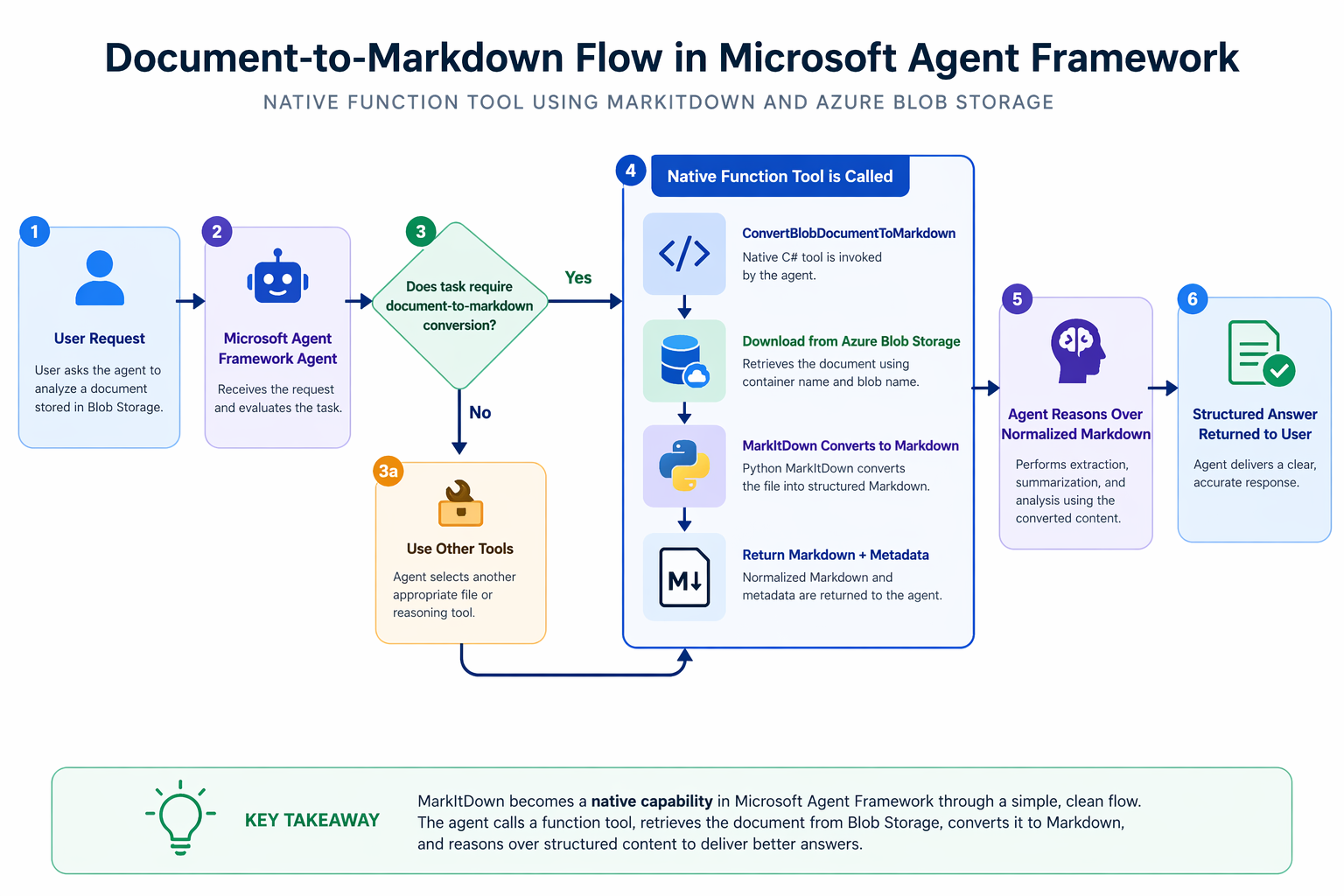
The flow looks like this:
- A document lives in Azure Blob Storage.
- The user asks the agent to analyze it.
- The agent decides it needs normalized text before it can reason well.
- The agent calls
ConvertBlobDocumentToMarkdown. - The C# tool downloads the blob to a temporary local file.
- MarkItDown converts the file into markdown.
- The tool returns markdown plus metadata.
- The agent reasons over the markdown, not the raw binary file.
That is a much better design than teaching the agent to think in terms of protocol hops when what it really needs is document normalization.
Why I would not lead with MCP here
MCP is useful. It is not the answer to everything. If multiple runtimes need the same capability, or you are intentionally building a shared external tool surface, MCP can be the right choice.
But that is not the same as saying every capability should be pushed behind MCP by default.
For MarkItDown, if your .NET agent runtime already owns the orchestration, then making document conversion a native function tool is usually the more disciplined design.
You get:
- simpler tool selection
- less architectural noise
- fewer moving parts in the critical path
- tighter control over execution and failure handling
- a more natural planning surface for the agent
In short, less theater, more system design.
Step 1: Install MarkItDown
Install only the formats you actually need.
python -m venv .venvsource .venv/bin/activatepip install "markitdown[pdf,docx,pptx,xlsx]"
If you need broad format coverage:
pip install "markitdown[all]"
Step 2: Create a C# bridge to MarkItDown
The quickest path is to call the MarkItDown CLI from C#.
using System.Diagnostics;public sealed record MarkdownConversionResult( string SourcePath, string ContentType, string Markdown);public sealed class MarkItDownBridge{ private readonly string _pythonExe; public MarkItDownBridge(string pythonExe = "python") { _pythonExe = pythonExe; } public async Task<MarkdownConversionResult> ConvertAsync( string filePath, CancellationToken cancellationToken = default) { var startInfo = new ProcessStartInfo { FileName = _pythonExe, RedirectStandardOutput = true, RedirectStandardError = true, UseShellExecute = false }; startInfo.ArgumentList.Add("-m"); startInfo.ArgumentList.Add("markitdown"); startInfo.ArgumentList.Add(filePath); using var process = new Process { StartInfo = startInfo }; process.Start(); var stdoutTask = process.StandardOutput.ReadToEndAsync(); var stderrTask = process.StandardError.ReadToEndAsync(); await process.WaitForExitAsync(cancellationToken); var stdout = await stdoutTask; var stderr = await stderrTask; if (process.ExitCode != 0) { throw new InvalidOperationException( $"MarkItDown failed for '{filePath}'. {stderr}"); } return new MarkdownConversionResult( SourcePath: filePath, ContentType: Path.GetExtension(filePath), Markdown: stdout); }}
There is nothing fancy here. That is the point. Good architecture is often about resisting unnecessary cleverness.
Step 3: Make Blob Storage the source of truth
In real systems, files are not usually sitting on the local disk waiting for the agent. They live in object storage.
So the right production pattern is to make the tool blob-aware.
using System.ComponentModel;using System.Text.Json;using Azure.Identity;using Azure.Storage.Blobs;public sealed class BlobBackedDocumentTools{ private readonly BlobServiceClient _blobServiceClient; private readonly MarkItDownBridge _bridge; public BlobBackedDocumentTools( string storageAccountName, MarkItDownBridge bridge) { _blobServiceClient = new BlobServiceClient( new Uri($"https://{storageAccountName}.blob.core.windows.net"), new DefaultAzureCredential()); _bridge = bridge; } [Description("Download a document from Azure Blob Storage and convert it to markdown for downstream reasoning.")] public async Task<string> ConvertBlobDocumentToMarkdown( [Description("Blob container name.")] string containerName, [Description("Blob name or path within the container.")] string blobName) { var containerClient = _blobServiceClient.GetBlobContainerClient(containerName); var blobClient = containerClient.GetBlobClient(blobName); var extension = Path.GetExtension(blobName); if (string.IsNullOrWhiteSpace(extension)) { extension = ".bin"; } var tempFilePath = Path.Combine( Path.GetTempPath(), $"{Guid.NewGuid():N}{extension}"); try { await blobClient.DownloadToAsync(tempFilePath); var result = await _bridge.ConvertAsync(tempFilePath); return JsonSerializer.Serialize(new { toolName = nameof(ConvertBlobDocumentToMarkdown), containerName, blobName, result.ContentType, result.Markdown }); } finally { if (File.Exists(tempFilePath)) { File.Delete(tempFilePath); } } }}
Two things here are worth calling out. First, the tool is named explicitly. That matters once your runtime has multiple file-related tools.
Second, the agent never has to care where the file lives or how it gets staged. That complexity stays where it belongs, inside the application boundary.
That is what good tool design looks like.
Step 4: Register the tool natively in Microsoft Agent Framework
Now make the tool part of the agent’s runtime model.
using Microsoft.Agents.AI;using Microsoft.Extensions.AI;var bridge = new MarkItDownBridge();var documentTools = new BlobBackedDocumentTools( storageAccountName: "mydocsstorage", bridge: bridge);AIAgent agent = chatClient.AsAIAgent( instructions: """ You are an advanced document analysis agent. Rules: 1. When the user needs the contents of a document stored in Azure Blob Storage, use the tool named ConvertBlobDocumentToMarkdown. 2. Only use ConvertBlobDocumentToMarkdown when the task requires converting a document into markdown for reasoning. 3. If another file-related task is needed, select the tool that best matches that task instead of assuming document conversion. 4. Base your extraction and reasoning on the markdown returned by ConvertBlobDocumentToMarkdown. 5. If conversion fails, explain the failure clearly. 6. Do not invent content that is not present in the converted markdown. """, tools: [ AIFunctionFactory.Create(documentTools.ConvertBlobDocumentToMarkdown) ]);
This is the moment MarkItDown becomes native to the agent. Not because Python vanished. Because the planning surface is now native. That is the part many teams miss.
The instruction that helps the model behave like an adult
When you have multiple file tools, vague instructions create sloppy tool selection.
Be explicit.
You are a document analysis agent operating inside Microsoft Agent Framework.When a user references a PDF, Word document, PowerPoint, Excel file, HTML file, or image-based document stored in Azure Blob Storage: Use the tool named ConvertBlobDocumentToMarkdown when the task requires document-to-markdown conversion. Do not use ConvertBlobDocumentToMarkdown for unrelated file operations. Treat the markdown output as the source of truth for reasoning. Preserve structural meaning such as headings, bullet points, tables, and links. If the document is too large, reason by section instead of forcing all content into the final answer. If conversion fails, clearly state the failure and recommend the next best action. Do not invent content that was not present in the converted markdown.
A lot of agent reliability problems are really instruction quality problems wearing an architecture costume.
Example runtime call
var session = await agent.CreateSessionAsync();var response = await agent.RunAsync( """ Use the tool ConvertBlobDocumentToMarkdown for the document in Azure Blob Storage. Container: contracts Blob: legal/master-services-agreement.pdf After conversion, extract: 1. All termination clauses 2. Renewal terms 3. Notice periods """, session);Console.WriteLine(response.Text);
Again, explicit beats clever. Tell the agent which tool to use when tool ambiguity matters.
End-to-end flow
Where advanced teams should go next
Do not keep dumping full converted markdown into the model context forever. That is demo behavior.
The production pattern is:
- convert once
- persist the markdown
- return a handle and a preview
- use follow-on tools for section retrieval, search, and extraction
That is how you keep reasoning tight and context costs under control. MarkItDown should normalize. Other tools should retrieve selectively. That is the difference between a neat example and a system that scales.
Summary
Here is the opinionated version. Not every useful capability in an agent system deserves to become a protocol. Some of them should just become tools. MarkItDown is one of those cases.
If you are already using Microsoft Agent Framework in C#, wrapping MarkItDown as a native function tool is usually the more disciplined design. It gives the agent a cleaner planning model, keeps your architecture tighter, and avoids turning document conversion into a distributed systems problem for no good reason.
Build fewer boundaries. Use sharper tools. And stop making your agent stack more ceremonial than it needs to be.